What onpage means: definition and context
A concise definition of onpage
Onpage refers to the page-level elements and signals that determine how a single page matches search intent and how it is presented in search results, including snippet text and visible headings.
That definition reflects guidance from search engine documentation and practitioner guides that focus on HTML elements and content relevance, as a starting point for audits and fixes. Google Search Central

How onpage fits inside search architecture and measurement
Onpage sits inside a larger search architecture that includes technical SEO, content strategy, and measurement tied to outcomes. Teams often treat onpage work as the page-level layer that links content strategy to ranking and click performance.
Practitioner guides describe onpage as one piece of an architecture where measurement connects relevance signals to business metrics like clicks and visibility. Ahrefs blog
Onpage is the set of page-level HTML and content elements that determine relevance and presentation in search; teams should inventory pages, measure CTR and field speed, apply prioritized fixes to titles, headings, and content, and track outcomes over time.
Limits of what onpage can achieve (authority, external signals)
Onpage improves relevance and presentation, but outcomes such as high placement for competitive queries depend on external signals like backlinks and site authority; these remain outside pure page-level fixes.
It is important to treat onpage as necessary but not always sufficient, and to frame expectations as context dependent rather than guaranteed.
Why onpage matters for relevance, snippets, and clicks
Relevance signals versus ranking signals
Title tags, headings, and page content are core relevance signals that help search engines match queries to pages and assess topical intent.
Google’s guidance highlights title tags and content as central to relevance, while other ranking factors include external authority and history. Google Search Central
Snippet generation and the role of title tags and meta descriptions
Title tags are a primary snippet and relevance signal that can influence how a result is shown and can affect click-through rate, while meta descriptions do not directly change ranking but influence click behavior in results.
When optimizing for clicks, treat titles as both a relevance and a presentation control, and write meta descriptions to improve clarity and appeal. Ahrefs blog
User experience signals and why CTR and engagement matter
User experience signals such as page speed and engagement inform how users interact with results and can alter performance indirectly, especially when poor experience increases abandonment.
Field data like CrUX and lab assessments from Lighthouse offer complementary measurements for experience and speed. web.dev Core Web Vitals. See the PageSpeed Insights codelab.
Core onpage elements to audit
HTML and snippet elements: title, meta, canonical, headings

Key HTML elements to check are title tags, meta descriptions, canonical links, and the heading hierarchy including a single clear H1 per page.
These elements drive snippets, accessibility, and indexing and are consistently cited across authoritative guides on page-level optimization. Ahrefs blog
Get the onpage audit checklist for teams
Copy or download a short audit checklist to confirm unique titles, logical H1s, and canonical correctness for a batch of pages.
Content quality and topical depth
Assess content for coverage of the query intent, clarity, and sufficient depth to satisfy a knowledgeable user, rather than only matching keywords.
Practitioner checklists recommend measuring topical depth against query intent and competitor pages to decide whether to expand or refine content. Ahrefs blog
Internal linking, URL structure, and canonicalization
Internal links and sensible URL structure help distribute relevance signals and set expectations for page purpose, while correct canonical tags prevent duplicate content confusion.
Audit internal linking for contextual anchor text and check canonical tags for consistency across similar pages. Moz learn SEO
Page speed and Core Web Vitals measurement
Measure page speed using both field and lab sources: CrUX for real user experiences and Lighthouse for prioritized lab diagnostics. See an in-depth guide at DebugBear.
Fixes should be prioritized by user impact rather than instrument scores alone, focusing first on the largest issues that affect real visitors. web.dev Core Web Vitals or a checklist.
A repeatable onpage audit workflow
Inventory and baseline measurement
Start with a page inventory that lists URLs, current title tags, H1s, canonical links, and measured performance metrics such as CTR and field speed data.

Use Search Console to capture baseline CTR and visibility, and combine that with field Core Web Vitals for a realistic performance baseline. Ahrefs blog
Action list: quick wins, structural fixes, content work
Prioritize quick wins first: unique and descriptive titles, fixed missing H1s, correct canonical tags, and short content clarifications that align the page to intent.
Audit checklists often separate quick changes from larger content projects so teams can capture wins while planning deeper rewrites. Search Engine Journal
Validation and tracking changes
After changes, track CTR changes in Search Console, monitoring visibility and field Core Web Vitals over a few weeks to months; attribution to a single change can be uncertain, so rely on patterns not single data points.
Combine ranking visibility checks with user behavior metrics to understand whether presentation and relevance adjustments led to sustained improvements. Ahrefs blog
How to prioritize onpage fixes: decision criteria
Traffic and conversion exposure: who benefits most
Prioritize pages with existing traffic or conversion value where small gains in CTR or relevance have more impact than for zero-traffic pages.
Use analytics to map pages by traffic and goal completion, then layer in snippet and speed issues to set priority. Ahrefs blog
Effort versus impact and risk assessment
A simple impact versus effort matrix helps choose whether a title rewrite, a heading restructure, or a deeper content project comes first.
Quick title and meta cleanups usually score low effort and can be validated fast, while deep content work is higher effort and needs clearer ROI signals. Search Engine Journal

Data quality and measurement constraints
Check the quality of your data before making big decisions: sampling in field datasets, delayed Search Console reporting, and noisy lab runs can mislead if not accounted for.
When data quality is low, favor low-risk changes and improve instrumentation before broad rollouts. web.dev Core Web Vitals
Common onpage mistakes and how to avoid them
Duplicate or missing title tags and meta descriptions
Duplicate or empty titles and descriptions reduce clarity in SERPs and can lower CTR by creating unclear snippets for users.
Prevent this by enforcing unique title templates in your CMS and auditing batches of pages for duplication. Moz learn SEO
Broken or confusing heading structure
Poor heading semantics, such as missing H1s or multiple competing H1s, hurt accessibility and make topical intent harder to parse for crawlers and screen readers.
Use a clear H1 per page and logical H2-H3 structure to reflect content hierarchy and topical focus. Google Search Central
Ignoring speed signals and relying only on lab data
Teams often fix only lab issues and assume user experience improves; field metrics can tell a different story about how real visitors experience the page.
Combine Lighthouse diagnostics with CrUX field data to prioritize fixes that matter to actual users. web.dev Core Web Vitals or a checklist.
Practical examples and scenario-based templates
Example: ecommerce product page audit and fixes
For a product page, inventory the title, H1, product description depth, canonical, structured data, internal links, and Lighthouse score.
Quick wins include clarifying the title to match buying intent, ensuring a single H1 that describes the product, and fixing canonical inconsistencies for near-duplicate SKUs. Ahrefs blog
export a page inventory and flag basic onpage issues
Run this after a crawl for fast triage
Example: service landing page with low CTR
Diagnose low CTR by checking the title for intent mismatch, the meta description for clarity, and the SERP features that display alongside the result.
Adjust titles to match the likely intent, rewrite meta descriptions to explain the unique proposition, and measure CTR changes in Search Console. Search Engine Journal
Template snippets: title tag and meta description patterns
Use concise title templates that combine primary intent, qualifier, and brand where useful, and meta descriptions that preview the page outcome for a searcher.
Templates make batch edits safer and ensure titles remain unique across similar pages. Ahrefs blog
Turning onpage work into a system: measurement and iteration
Closing the loop: tracking changes and learning
Make changes in small groups and track CTR, ranking visibility, and Core Web Vitals field metrics over a regular cadence to learn what type of edits move the needle for your site.
Document each change and its timing so correlation is clearer when reviewing trends across tools. Ahrefs blog
Dashboards and runbooks for repeatability
Build simple dashboards that surface pages with high impressions and low CTR, poor CrUX metrics, or missing canonical tags so teams can triage work each sprint.
Runbooks reduce tribal knowledge by listing checks, owners, and validation steps for common fixes. web.dev Core Web Vitals
When to escalate from onpage to other channels
If repeated onpage improvements produce little change and diagnostics point to weak authority or offsite gaps, escalate to a channel-level plan that includes link acquisition, PR, or paid media testing.
Escalation is a judgment call that depends on data, bandwidth, and the competitive landscape; treat it as a next diagnostic phase rather than a failure. Ahrefs blog
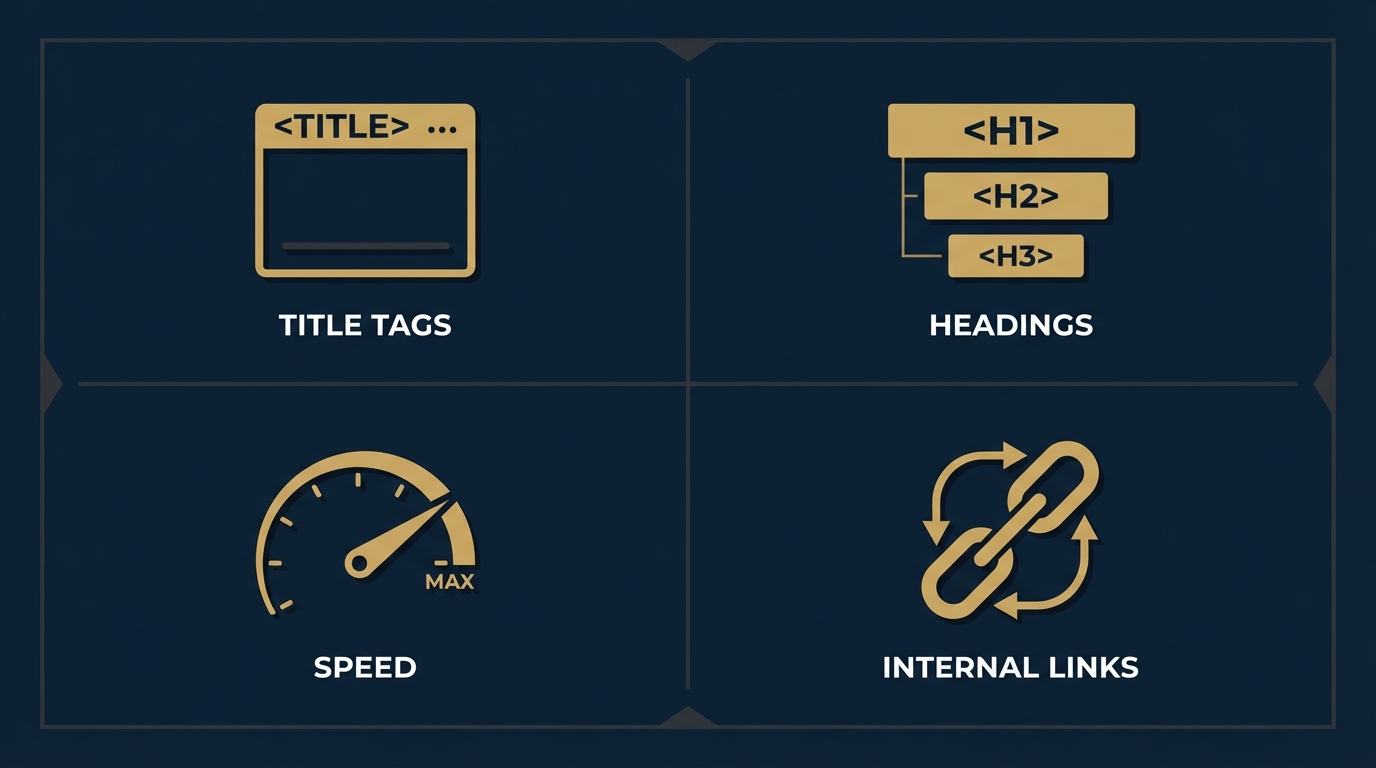
Onpage work focuses on page-level elements such as title tags, meta descriptions, heading structure, page content, internal links, URL and canonical correctness, and page speed metrics.
Timing varies. Some presentation changes can alter CTR quickly, while content and speed effects may take weeks of measurement; attribution is often context dependent.
Monitor Search Console CTR, ranking visibility, engagement metrics, and Core Web Vitals field data to understand the combined impact of changes.
References
- https://developers.google.com/search/docs/fundamentals/seo-starter-guide
- https://ahrefs.com/blog/on-page-seo/
- https://web.dev/vitals/
- https://orvus.net/category/useful-knowledge/
- https://developers.google.com/codelabs/chrome-web-vitals-psi-crux
- https://www.debugbear.com/blog/core-web-vitals-audit
- https://seosly.com/blog/core-web-vitals-audit/
- https://moz.com/learn/seo/on-page-factors
- https://www.searchenginejournal.com/on-page-seo-checklist/
- https://orvus.net/services
- https://orvus.net
- https://orvus.net/about